


MultiLingo: Chat Translator
4.460.00 Reviews
App Specs
- Version
- 1.3.0
- Updated On
- License
- Free
- Downloads
- 1,000,000+
- Developer
- Aykonu
- Categories
- Communication
- Platform
- Android
Screenshots


 Analysis by AppCompare
I see MultiLingo: Chat Translator as a practical starting point for people who need to bridge a language gap while messaging, rather than a replacement for careful human translation. Its appeal is the promise of making everyday exchanges less cumbersome; the trade-off is that any translated message still deserves a quick sense-check before you rely on it. For casual conversations, that balance can be useful. For important or sensitive communication, I would slow down and verify what the wording actually says.
Where a chat-focused translator can help
A translation app is most valuable when it fits into the moment you need it. If a visitor asks you for directions, a new colleague sends a short message, or a friend wants to coordinate a plan across languages, the useful outcome is not a polished essay: it is understanding the request and replying without turning the exchange into a copy-and-paste exercise. That is the kind of low-stakes, back-and-forth situation where I would consider trying a chat translator.
One sensible habit is to keep messages short and direct. If I were asking someone to meet, I would send one clear question at a time rather than combining a time, location, change of plan, and explanation in a single long note. This makes it easier to spot when a translation has shifted the meaning. I would also avoid idioms, jokes that depend on wordplay, and slang unless I already knew how the other person uses them; a literal translation can preserve the words while losing the intent.
For practical travel conversations, I would treat the app as a bridge, not an authority. It can help with a simple question about where to go or what someone means, but it is not the tool I would trust alone for medical instructions, legal documents, financial commitments, or anything where a small misunderstanding could have a serious result. In those moments, ask the other person to confirm the key point, or find someone qualified to interpret it.
Small habits that make translated chats clearer
When both people are using translation, confusion can compound: the first person’s meaning is interpreted, then the reply is interpreted back. I find it helpful to confirm concrete details explicitly. Instead of assuming a time or address came through correctly, repeat it plainly and ask whether it is right. Names, dates, prices, and meeting points are especially worth checking because a fluent-sounding sentence can still contain one crucial mistake.
Another useful approach is to write for the translator, not just for a human reader. Use familiar words, keep punctuation simple, and split instructions into separate messages. If you are explaining a problem, describe what happened in order rather than relying on a phrase that only makes sense in your own language. These adjustments are easy to make and can improve clarity without requiring you to know the other language.
Who should look elsewhere
I would not choose a chat translator as my only solution if I needed formal, publication-ready translation or had to preserve a precise tone. A professional translator is a better fit for contracts, official correspondence, and carefully edited public material. Likewise, someone studying a language in depth may get more from a dedicated learning tool that explains grammar and gives structured practice instead of focusing on getting a message across.
Worth Reading Before You Choose

EA SPORTS FC Mobile 26 Is a Bigger Football Game, but It Takes Time

Flipboard Shows What News Apps Must Do Beyond the Feed

Switching to Android Auto Means Rethinking Your Driving Routine

Google Calendar Makes a Crowded Week Easier to Manage

Ludo King Makes the Most of the Minutes Between Plans

Baby Panda World Brings Quick Play to Modern Phones, but Its Game Library Feels Busy
There is also a practical question of trust and comfort. Before sharing private details in any communication app, I would consider whether the conversation is appropriate for a translation service at all. For a casual exchange, a little friction may be acceptable; for confidential work or deeply personal information, I would choose a method I am comfortable using for that purpose. Translation convenience does not remove the need to think about what you send.
That context matters when weighing the app against familiar alternatives. A built-in translator or a general-purpose translation app may be enough if you only need to translate an occasional phrase. A chat-oriented option makes more sense when you expect an ongoing conversation and want the process to feel less like repeatedly moving text between apps. The deciding question is not which tool claims the most, but whether its workflow suits the way you actually communicate.
There are a few practical questions I would settle before relying on it regularly. Does it handle the languages you and your conversation partner need? Can you use the functions you care about without paying? Is the way it handles messages comfortable for the kind of conversation you plan to have? I would try a few harmless exchanges first, check the results with the other person, and only then decide whether it belongs in my everyday routine.
That small trial also helps set realistic expectations. Translation quality can vary with phrasing and context, so one successful message does not guarantee that every sentence will land perfectly. When a reply seems oddly formal, unusually blunt, or out of step with the conversation, I would ask a short follow-up instead of guessing. A translator is at its best when it helps people clarify meaning, not when it encourages them to pretend there is no language gap.
First Impressions Matter
Diving into MultiLingo: Chat Translator, I was immediately welcomed by its sleek and intuitive interface. The design is straightforward, which is a big plus if you’re like me and want to get things done without wading through complicated menus. You’ll find everything you need right at your fingertips, with no fuss and no clutter.
The app supports a whopping 100+ languages. Yes, you heard that right! From Spanish to Swahili, it’s got you covered. I found this particularly handy when chatting with friends from different corners of the globe. No more embarrassing mistranslations, just smooth and accurate communication. Translation accuracy is crucial, and MultiLingo delivers on that front.
Getting Started
Setting up MultiLingo is as easy as pie. You simply download the app, select your preferred languages, and you’re all set. The app integrates seamlessly with popular messaging platforms. Whether you’re on WhatsApp, Facebook Messenger, or even good old SMS, MultiLingo has your back.
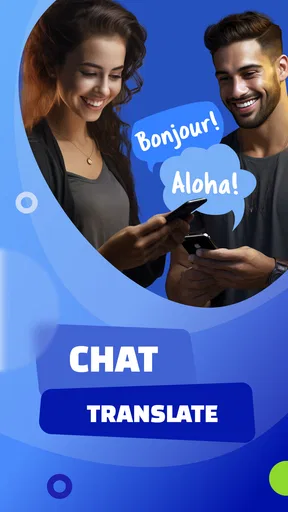
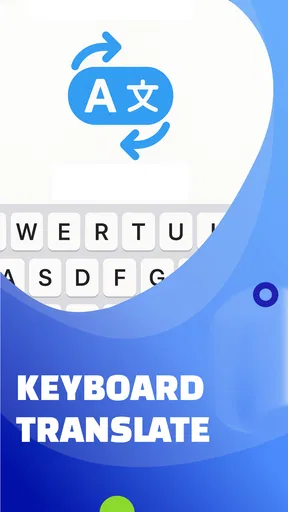
One thing I particularly enjoyed is the real-time translation feature. Imagine typing in English and having your words instantly translated into French, without having to copy and paste. It’s like magic! This feature ensures that your conversations flow naturally, without those awkward pauses.
Features that Shine
Aside from real-time translation, MultiLingo offers voice translation. Perfect if you’re on the go and need to send a quick voice message in another language. I gave this feature a whirl, and it worked like a charm. The voice recognition is pretty spot-on, capturing my words accurately, even with my less-than-perfect accent.
Another neat feature is the offline mode. You can download language packs for offline use, which is a lifesaver when you’re traveling and don’t have access to Wi-Fi. You can keep chatting away without worrying about racking up data charges.
Playing Around with Options
Customization is key, and MultiLingo lets you tweak settings to suit your style. You can adjust the translation speed, choose different voice accents, and even set up a personal dictionary for those unique phrases you frequently use. I found these options super handy, as they allow the app to adapt to my personal communication style.
The app also keeps a history of your translations. This is a fantastic feature for revising past conversations or learning new phrases. Plus, it’s great for language learners who want to track their progress and build their vocabulary.
Is It Worth It?
So, is MultiLingo: Chat Translator worth the download? In my experience, absolutely. It’s a powerful tool for anyone who wants to break down language barriers and connect with people around the world. The real-time translation and offline mode alone make it a must-have app.
Sure, no app is perfect. There were a few times when the translations weren’t 100% accurate, but they were close enough to get the point across. And let’s be honest, even the best human translators have their off days.
Overall, MultiLingo makes chatting in multiple languages not only possible but enjoyable. It’s like having a little linguistic bridge in your pocket, connecting you to a world of conversations you never thought possible. Give it a try—you might just find it’s the app you didn’t know you needed.
What to expect before making it a regular tool
MultiLingo is a free communication app from Aykonu, with optional in-app purchases priced from $4.99 to $29.99 per item. It is rated for Everyone, and its current version is 1.3.0, with Android 7.0 as the minimum operating system requirement. The 4.4 average from around 4.4 thousand ratings and more than a million installs suggest that many people have tried it, though popularity cannot tell you whether its particular workflow suits your conversations.
I would start with the free experience and decide based on actual use rather than assuming a paid option is necessary. If your conversations are occasional and mostly involve short messages, you may not need anything beyond the basic functionality. If you find yourself translating regularly, look at what a purchase offers inside the app and whether that specific addition solves a problem you have. The listed price range covers different items, so it is worth checking the details before confirming any purchase.
For someone switching between languages often, saved translation history and a personal dictionary can serve different purposes. History is useful for returning to a phrase you have already encountered, while a dictionary entry can help keep a recurring name or expression consistent. I would use those tools selectively: save phrases that are genuinely reusable, but avoid treating a past translation as a guaranteed template when the surrounding context has changed.
The offline option is most useful when you prepare before leaving a reliable connection. I would download the language material I expect to need while still online, then test a simple phrase before depending on it during a journey. That is a small but worthwhile check: being able to open an app offline is not the same as knowing that the specific language and function you need are ready for use. It also helps avoid discovering a setup step at the exact moment you are trying to ask for help.
A realistic day-to-day test
Picture arriving in a place where you do not speak the local language and needing to confirm a meeting point with someone you have just contacted. I would type one short message, read the translated version before sending if that option is available in the workflow, and ask the recipient to confirm the location in a simple reply. If the conversation shifts to a change of plans, I would send that separately instead of adding several details at once. That approach gives both people a chance to catch a wrong turn in meaning before it becomes a missed meeting.
Voice translation has a different sweet spot. It may be more comfortable when typing is awkward or when you need to communicate quickly, but a spoken message introduces variables such as background noise, names, and pronunciation. I would keep voice messages brief, say place names carefully, and follow up in text with anything important. The convenience is real, but for a precise instruction, text gives both people something easier to review.
Choosing the right fit
Among translation options, the strongest reason to pick a chat-focused app is continuity: you want translation to sit close to the conversation rather than interrupt it. If you only translate a menu, sign, or isolated sentence now and then, a general translator may be simpler. If you need to learn why a sentence is constructed a certain way, a language-learning app is more appropriate. And if exact wording has consequences, a qualified human translator remains the safer choice. Those alternatives are not failures of MultiLingo; they serve different jobs.
MultiLingo is most appealing to travelers, multilingual households, and people who regularly exchange informal messages with contacts who use another language. It can also help someone who is learning by letting them revisit phrases, provided they treat translation history as a reference rather than a lesson in grammar. I would be more cautious about recommending it to anyone who expects flawless nuance, needs formal writing, or cannot afford ambiguity in the conversation.
My overall view is that this is a convenient tool for getting everyday communication moving, with the best results coming from clear, simple messages and a willingness to confirm details. Its language options and chat-oriented approach make it worth considering, while occasional inaccuracies mean I would not hand it responsibility for high-stakes wording. If your goal is to make ordinary cross-language conversations easier, start with a low-pressure exchange and judge how naturally it fits your routine.
Pros
- Supports multiple languages seamlessly.
- Real-time translation during chats.
- User-friendly interface design.
- Customizable language preferences.
- Offline translation mode available.
Cons
- Occasional translation inaccuracies.
- Requires internet for some features.
- Limited offline language pack.
- Subscription for premium features.
- Voice translation can lag.
FAQs for MultiLingo: Chat Translator
What is MultiLingo: Chat Translator, and how does it work?
MultiLingo: Chat Translator is an app designed to translate text in real-time across various messaging platforms. It integrates seamlessly with popular messaging apps, allowing users to communicate effortlessly with friends, colleagues, or clients in different languages. The app automatically detects the language and provides translations instantly, enhancing cross-language communication.
Is MultiLingo: Chat Translator compatible with all messaging apps?
While MultiLingo supports a wide range of popular messaging apps like WhatsApp, Messenger, and Telegram, it may not be compatible with every app available on the market. Before downloading, check the app’s compatibility list to ensure it works with your preferred messaging platforms for the best experience.
Does MultiLingo: Chat Translator require an internet connection to function?
Yes, MultiLingo requires an active internet connection to provide real-time translations. This is because the app relies on cloud-based language processing to deliver accurate and fast translations. Ensure you have a stable internet connection for the app to function optimally, especially during important conversations.
How accurate are the translations provided by MultiLingo?
MultiLingo strives to offer highly accurate translations by leveraging advanced language algorithms. However, like any translation tool, the accuracy can vary depending on the complexity and context of the text. For best results, use clear and straightforward language, and be aware that idiomatic expressions may not always translate perfectly.
Is MultiLingo: Chat Translator safe to use regarding privacy and data security?
MultiLingo prioritizes user privacy and employs encryption to safeguard your data. While the app needs access to your messages to provide translations, it does not store any personal information or conversations. Review the app’s privacy policy to understand how your data is handled and ensure it aligns with your privacy expectations.


